
Workspaces
The Workspaces tab (Ctrl+4) lists every worktree of the project, what is using it, and the open pull requests beside them. A project without git shows Initialize Git here instead.
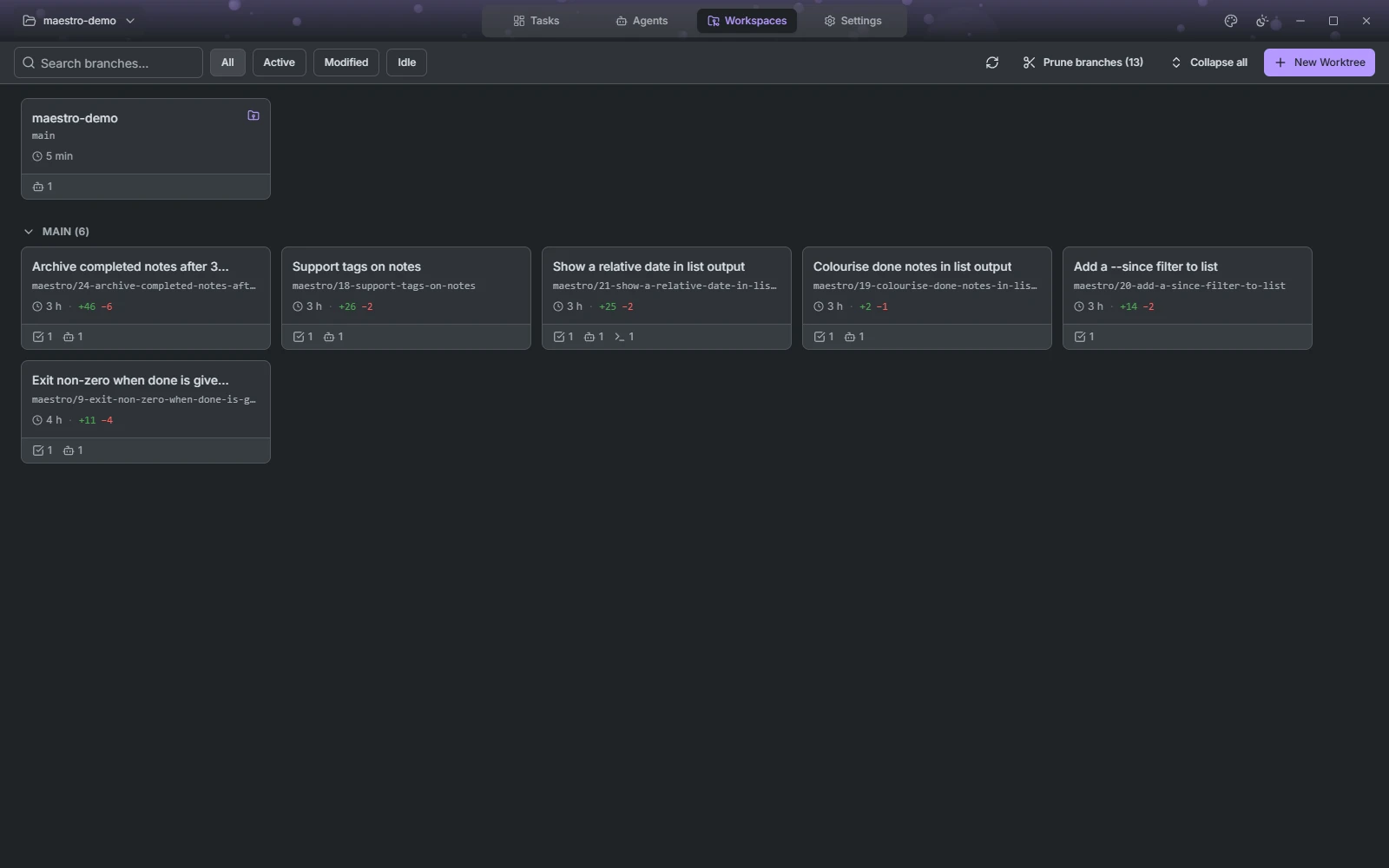
Worktree cards
The repository checkout sits alone at the top. The other worktrees are grouped by the branch they started from; Collapse all folds every group.
Each card shows the branch, time since the last activity, lines added and removed, commits, and the pull request on the branch with its CI status. Hover the card to see its full path.
- Push (↑N) and Pull (↓N) sync the branch with the remote in one click. Push publishes a branch the remote does not have yet. Pull asks first if a session is working in the worktree.
- Used by lists the task, agent sessions and shells using the worktree. Click one to jump to it.
- Start session opens a new session in the worktree, when no agent is already there.
- The trash button deletes the worktree, and optionally its branch when that branch exists only locally. The deletion runs in the background: the card dims and reads Deleting until it is gone.
- Clicking the card opens its diff.
Search branches... (Ctrl+F) filters the cards, and Refresh (Ctrl+R) fetches from the remote before updating them. New Worktree (Ctrl+N) creates one on a new or an existing branch.
Pull requests
When the project has a connected code host, its open pull requests are listed in a column beside the cards. Filter them to those With worktree or the Others, search them when the host supports it, and page through them.
Each row links to the pull request on the forge and offers Start session. That reuses the branch's worktree, or creates one, and for a contributor's fork fetches their branch first. A pull request that already has a session offers Go to session instead.
Pruning branches
Prune branches appears when maestro/ branches are left with no worktree and no copy on the remote. It lists them in two groups: Merged into HEAD, where nothing is lost, and Unmerged, whose commits exist nowhere else. Tick the ones to delete.